Workspace
Workspaces
A workspace holds your projects, customers, time entries and members, and has its own plan.
Nothing is shared between workspaces. One account can belong to several.
Create a workspace
You name your first workspace when you sign up, on the Name your workspace screen, and become its owner. A new workspace starts with a free trial.
The app has no button for creating further workspaces. You join other workspaces by accepting an invitation.
If you have no workspace left, for example after deleting your only one, Tidpunkt asks you to name a new one.
Switch workspace
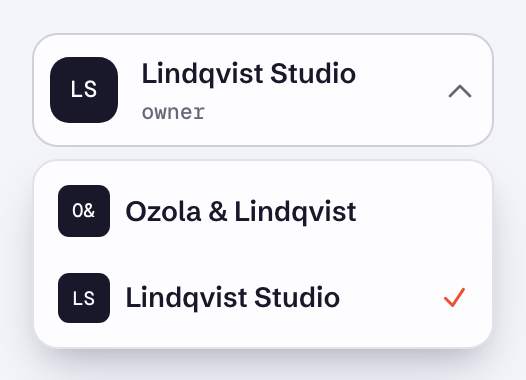
The workspace switcher is at the top of the sidebar and shows the current workspace's name and your role in it. Select it and pick another workspace. With only one workspace, the switcher does nothing.
Your role can differ per workspace.
Rename a workspace
Owners and admins can do this.
- Open Team in the sidebar.
- Change the Organization name field.
- Select Save.
The name is used everywhere the workspace appears. On invoices, a Legal name in invoice settings takes its place.