Workspace
Audit log
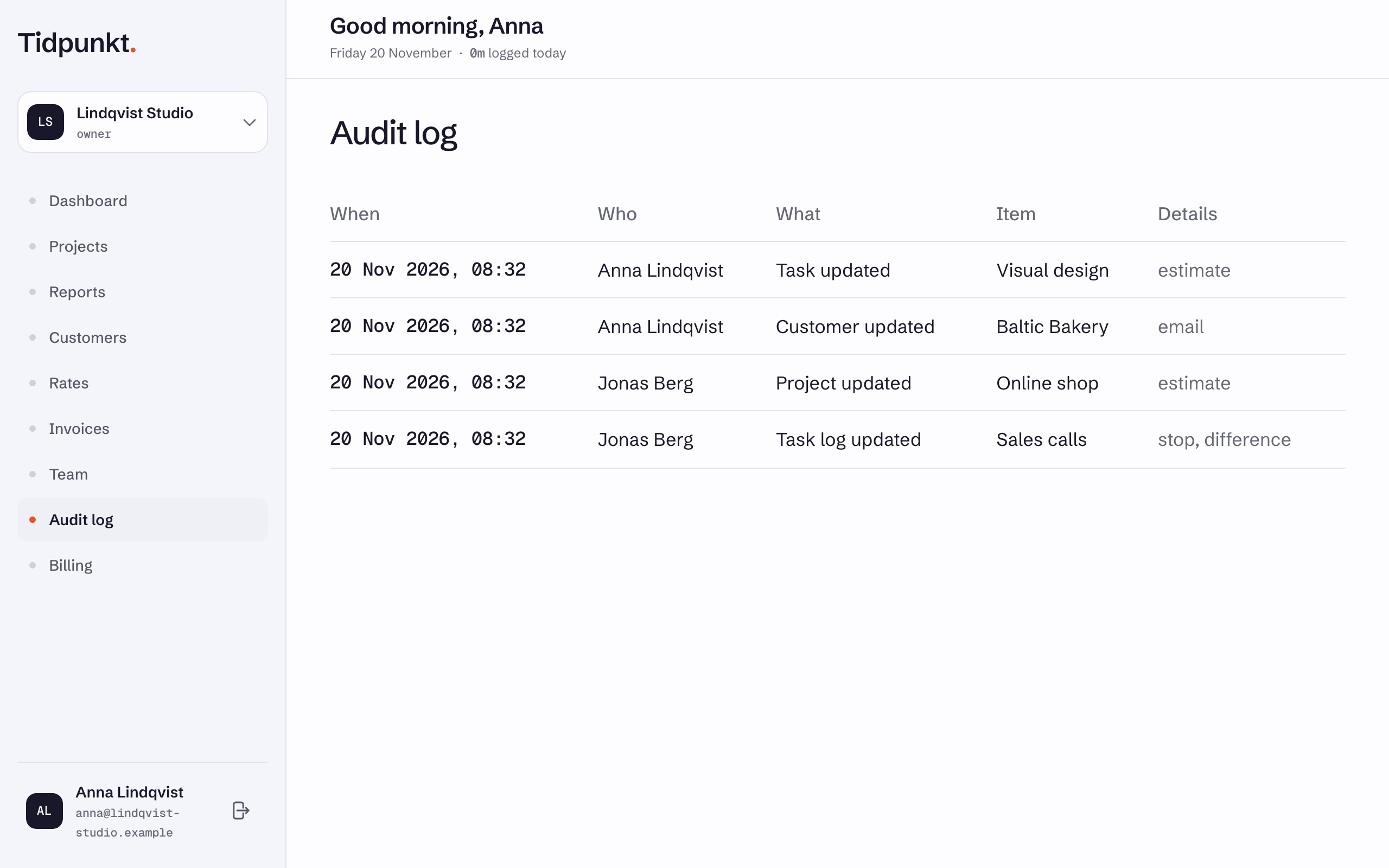
The audit log lists who changed what in a workspace, newest first.
Reading it is included in Business. Owners and admins open it from Audit log in the sidebar. Events are recorded on every plan, so history is there when you upgrade. Entries are kept for 24 months.
Columns
| Column | Contents |
|---|---|
| When | Date and time |
| Who | The person's name, or "System" for automatic events |
| What | The action, for example "Project updated" |
| Item | The name of the thing changed |
| Details | Extra context |
For updates, Details lists which fields changed. It does not show old or new values.
What is recorded
| Area | Events |
|---|---|
| Customers, projects, tasks, services, invoices | Created, updated, deleted |
| Time entries | Updated after being stopped, deleted |
| Workspace | Settings updated, exported |
| Members | Invited, joined, removed, role changed, cost rate changed |
| Reports | Exported, with date range and format |
| Client links | Created, revoked |
| Billing | Subscription started, changed, cancellation scheduled, cancelled, trial started |
Changes to customers, projects, tasks, services, invoices and time entries are recorded when a signed-in person makes them.
What is not recorded
- Starting a timer or adding a time entry
- Revoking an invitation
- Project expenses and subtasks
- Logo changes
Names in the log
The log keeps the name a person had at the time, even after their account is gone. Anonymising a former member removes that name. Deleting a workspace deletes its log.