Reports
Reports and filters
Reports answers questions about tracked time for any date range, grouped and filtered the way you need.
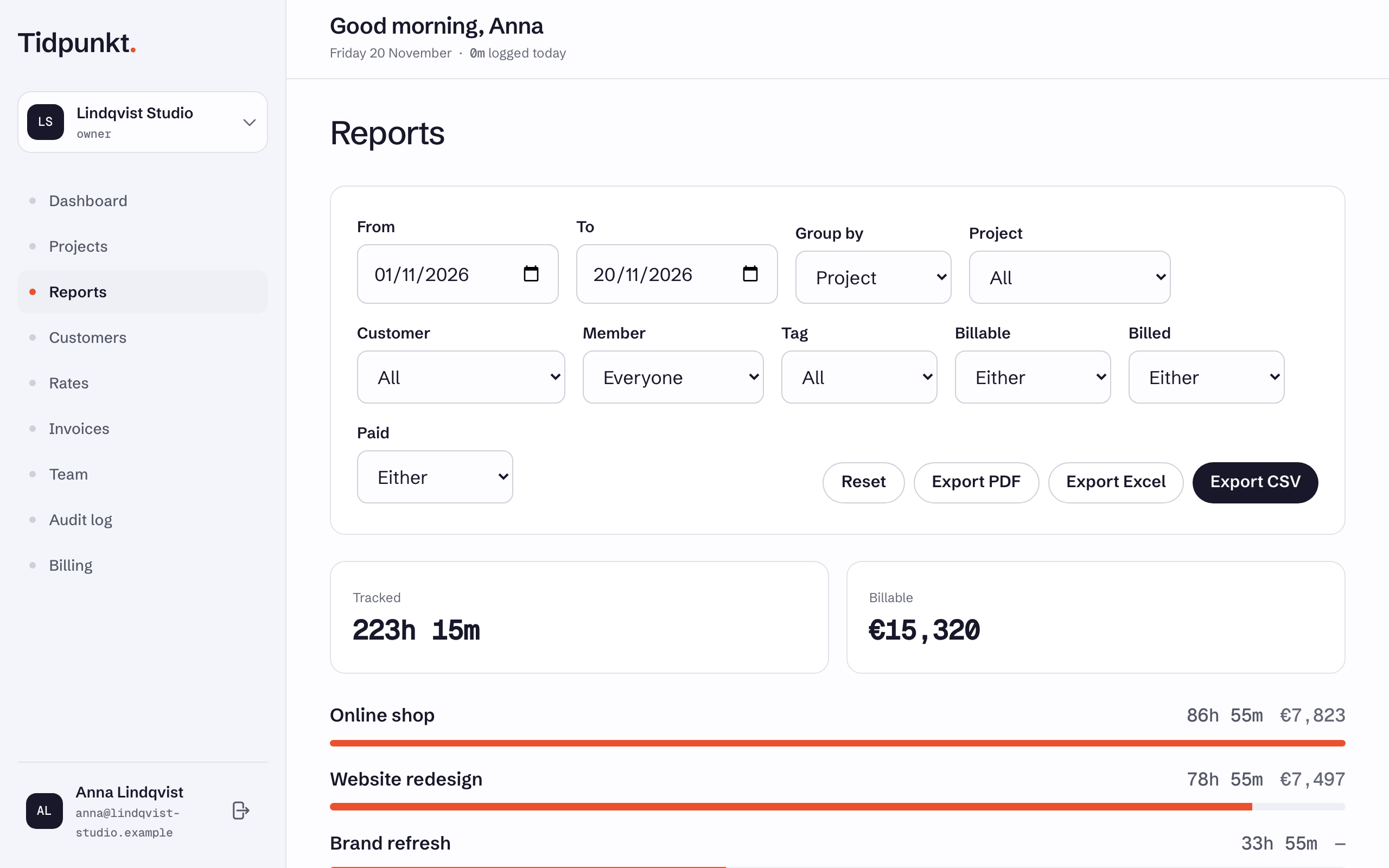
Open Reports in the navigation. It starts at the first of this month through today, grouped by project, and updates as you change the filters. It shows a Tracked total, a Billable total, and one row per group.
What members see
Owners and admins see the whole workspace. Members see only their own time, and they do not get the Member filter or any fixed-price amounts. See Roles and permissions.
Group by
Group by can be Project, Customer, Task, Member or Day. Time on a project with no customer appears under Unassigned when grouped by customer.
Filters
| Filter | Options |
|---|---|
| From, To | The date range. An entry counts on the date it started. |
| Project | All or one project. |
| Customer | All or one customer. |
| Member | Everyone or one person. Owners and admins only. |
| Tag | All or one tag. A tag on a project also applies to its tasks. |
| Billable | Either, Billable or Not billable. On plans with rates. |
| Billed | Either, Unbilled or Billed. |
| Paid | Either, Paid or Unpaid. |
Billed and Paid follow the task's status. See Tasks and subtasks. Reset clears everything except Group by and returns the dates to this month.
Amounts
Billable totals appear on Freelancer, Standard, Professional and Business. Other plans see an upgrade link in their place.
Amounts are shown per currency and are never added across currencies. Hours are exact, while amounts use time rounding if your workspace has it. Fixed prices count in the period they were marked billed, so a row can show an amount with no time. Selecting one person in Member leaves fixed prices out, because they belong to no one.
What is left out
- Timers still running have no duration yet and appear once stopped.
- Entries older than your plan's limit are hidden, and a notice says from which date the report starts. They are not deleted, and upgrading brings them back. Limits are in Compare plans.
To take a report elsewhere, see Export PDF, CSV and Excel or Client links.