Rates and invoicing
Costs and profit
Member cost rates and project expenses give each project a profit figure next to what it bills.
Costs and profit are included in Business. Owners and admins can see and change them.
Set a member's cost rate
On Team, under Members, fill in the Cost/h field on a member's row. It saves when you leave the field. Clear it to remove the rate.
The currency is your workspace's default rate currency, or EUR if there is none.
A member has one cost rate. It applies to all their time on a project, past and future, so changing it changes past figures. Cost rates are hidden from members.
Add project expenses
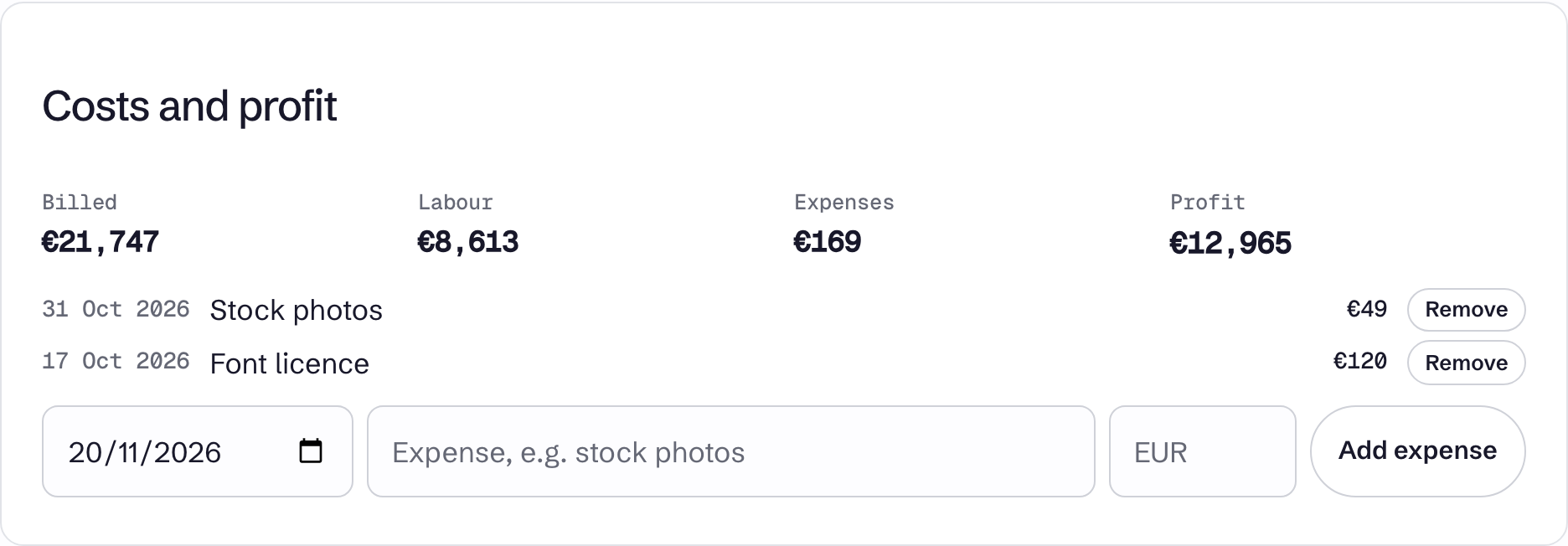
On a project's page, go to Costs and profit. Enter the date, a description and an amount, then select Add expense. The amount uses the project's currency, or EUR if it has none. Remove deletes an expense.
Read the figures
| Figure | What it is |
|---|---|
| Billed | Billable time at its rate, plus the project's fixed price and the fixed prices of its billable tasks |
| Labour | All stopped time on the project, billable or not, times each member's cost rate |
| Expenses | The project's expenses |
| Profit | Billed minus Labour minus Expenses |
Figures are per currency and are never converted, so a project with mixed currencies shows one amount for each.
Billed counts fixed prices whether or not they have been marked billed, and uses rounded time if your workspace rounds. Labour always uses exact time.
Time by someone with no cost rate adds nothing to Labour. The card says how much time that is. This includes time by people removed from the workspace, because their cost rate goes with their membership.