Rates and invoicing
Create and issue invoices
An invoice starts as a draft built from a customer's uninvoiced time, and gets its number when you issue it.
Creating and issuing invoices is included in Freelancer, Professional and Business. Owners and admins do it, from Invoices in the sidebar.
Set up your details first
Open Invoice settings on the Invoices page.
| Field | What it does |
|---|---|
| Legal name | The seller's name on the invoice. Blank uses the workspace name. |
| Billing address | Street, city and country code are required before you can issue. Includes VAT ID. |
| Number prefix | Printed before the number. New workspaces start with INV-. |
| Next number | The number the next issued invoice gets. It can only go up. |
| Payment due after (days) | Sets the due date. The default is 14. |
| Footer | Printed at the bottom, for example bank details. |
The customer needs a billing address too: street, city and country code. See Customers.
Create a draft
- Select New invoice.
- Choose the Customer, the From and To dates, and the Currency. The period defaults to last calendar month, and the currency to the customer's.
- Select Create draft.
The draft takes:
- Billable, stopped entries that started in the period, are not on another invoice, and whose rate resolves to that currency. You get one line per task and rate, in hours, using rounded time if your workspace rounds.
- Fixed prices of the customer's tasks and projects in that currency, not yet marked billed and not on another invoice. The period does not limit these.
Time priced in another currency stays uninvoiced, ready for a separate invoice in that currency.
Edit the draft
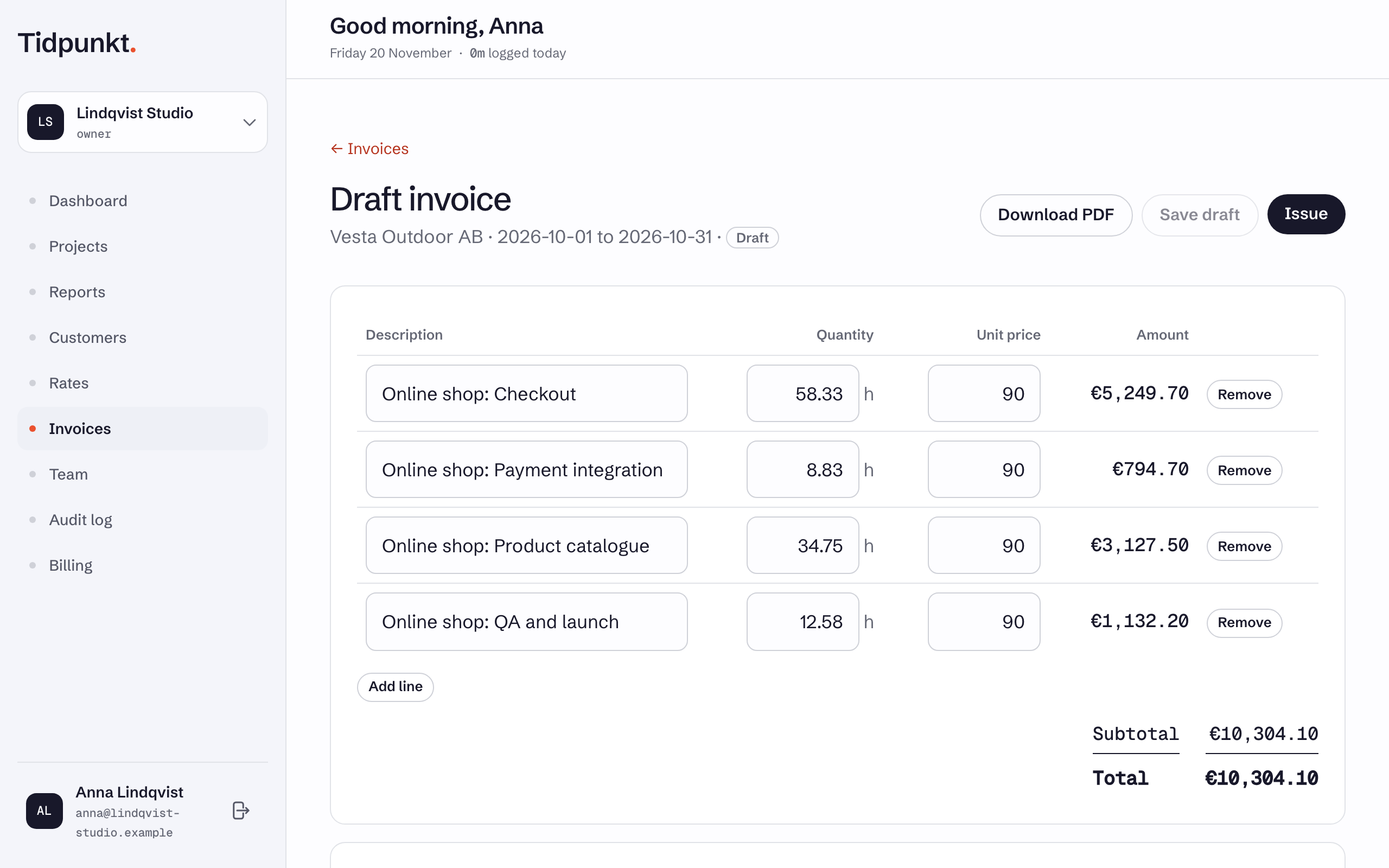
Change descriptions, quantities and unit prices, or use Add line for a line typed by hand. Set VAT and Notes on the invoice, then select Save draft.
Entries on a draft are locked: they cannot be edited or deleted, and their task and project cannot be deleted. Removing an hours line, or using Delete draft, releases that time back to uninvoiced.
Issue it
Select Issue. Tidpunkt refuses if the draft has no lines, or if your address or the customer's name and address are missing.
Issuing:
- Gives the invoice the next number, for example
INV-0001. - Sets the issue date to today and the due date from your settings.
- Copies your details and the customer's onto the invoice, so later changes do not alter it.
- Marks its tasks and fixed-price projects as billed.
An issued invoice cannot be edited. After that, see Paid and void invoices.
Download PDF works at any stage. A draft carries a DRAFT mark and no number. The PDF ends with a small "Made with Tidpunkt" line unless the workspace has white label.