Your account
Email notifications and reminders
Two reminder emails can be turned off on your profile; the other emails Tidpunkt sends have no off switch.
Reminders you can turn off
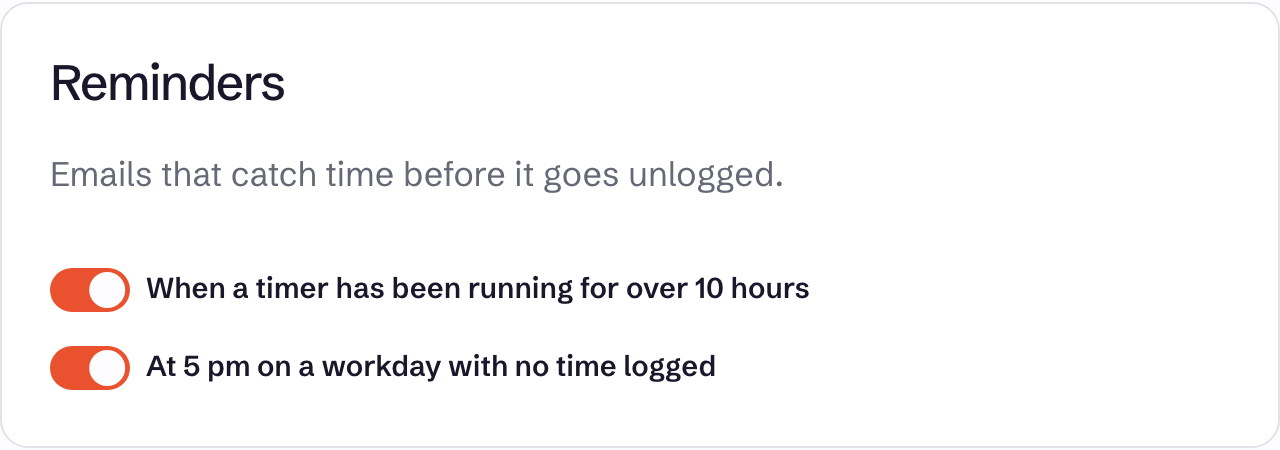
On your Profile, under Reminders:
| Switch | When it is sent |
|---|---|
| When a timer has been running for over 10 hours | Once per timer, when it passes 10 hours |
| At 5 pm on a workday with no time logged | At 5 pm in your own time zone, Monday to Friday, if you have logged nothing that day |
Both are on by default. The 5 pm reminder needs a verified email address, and is only sent if you have logged time in the last two weeks.
Emails you can't turn off
| Who gets it | When | |
|---|---|---|
| Sign-in code | The address that asked for it | Each time a code is requested, at sign-in or to confirm an action on your profile |
| Email verification | You | When you change your address or choose Resend the link |
| Workspace invitation | The invited address | When an owner or admin invites someone |
| Your time report | Every member | Weekly and monthly, see Scheduled email reports |
| Team report | Owners and admins | Weekly and monthly, see Scheduled email reports |
| Budget alert | Owners and admins | When a project passes 80% or 100% of its estimate, on plans with budget alerts |
| Subscription renewal notice | Owners | 30 days before each yearly anniversary of the subscription, on monthly plans too |
| Inactivity warning | You, or a workspace's owners and admins | Before an account or workspace unused for almost two years is deleted, see Data retention |
Payments run through Stripe, and any receipts or invoices Stripe emails go to the workspace's longest-standing owner.