Workspace
Invite and remove members
Owners and admins manage who is in a workspace from Team in the sidebar.
Invite someone
- Under Invitations, enter the email address.
- Choose a role: admin or member.
- Select Invite.
They get an email with an Accept invitation button, and accepting adds them to the workspace with that role. To make someone an owner, invite them first, then change their role under Members.
An invitation expires one week after it is sent. Expired invitations stay in the list, marked expired, until you select Revoke. Inviting the same address again sends a new link and restarts the week. An address that is already a member is refused.
Limits
- Free: up to 5 people, counting pending invitations. The limit does not apply during a free trial.
- Freelancer: a subscription is for one person, so invitations are refused.
- Freelancer lifetime licence: it covers a workspace of one. If a second person joins, the workspace counts as Free.
See Compare plans. On team plans, seats follow the member count; see Manage subscription and seats.
Change a role
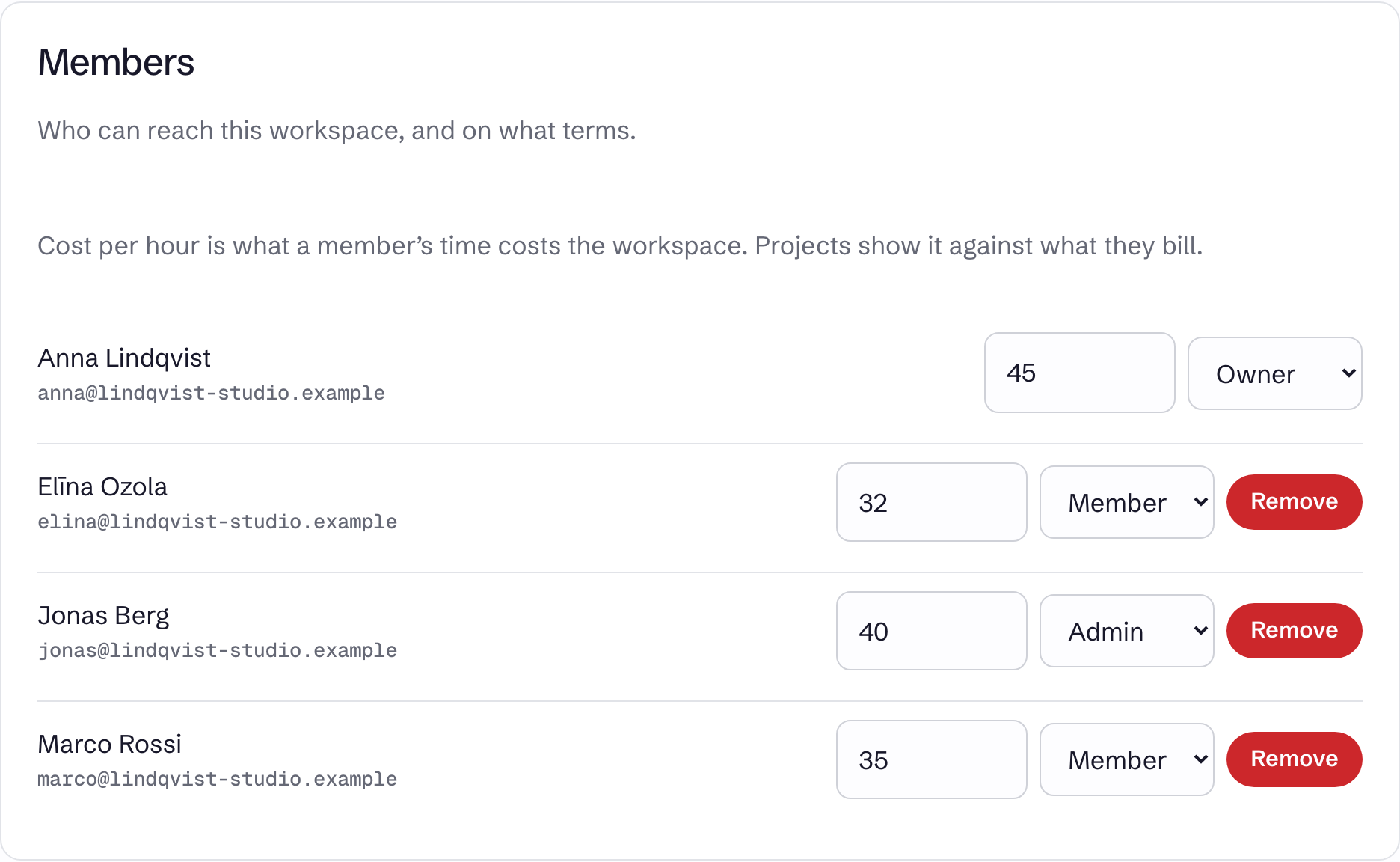
Use the role field on the member's row under Members. Only an owner can make someone an owner or change an owner's role. A workspace's last owner cannot be changed to another role.
Remove a member
Select Remove on their row.
- A timer they have running in this workspace is stopped.
- Their time entries stay in the workspace.
- They keep their account and any other workspaces.
You cannot remove yourself, only an owner can remove an owner, and the last owner cannot be removed.
Former members
Former members appears when someone who tracked time in the workspace has deleted their account. Their time stays in reports under the name they had.
An owner can select Anonymise to take that name off.
Anonymising cannot be undone
The name is removed from the time entries and the audit log. The time stays, shown as unassigned, so totals do not change. Two former members with the same name are anonymised together.
Someone you removed but who still has an account does not appear here.