Projects and tasks
Estimates and budget alerts
A project's Estimate is its budget: Tidpunkt shows how much of it is used and emails owners and admins at 80% and 100%.
Budget progress and alerts are included in Freelancer, Professional and Business, and during the free trial. On other plans you can still save an estimate, and the project page links to an upgrade instead of showing progress.
Set a budget
Create or edit a project and fill in Estimate, in hours or days. A day counts as 8 hours.
Progress
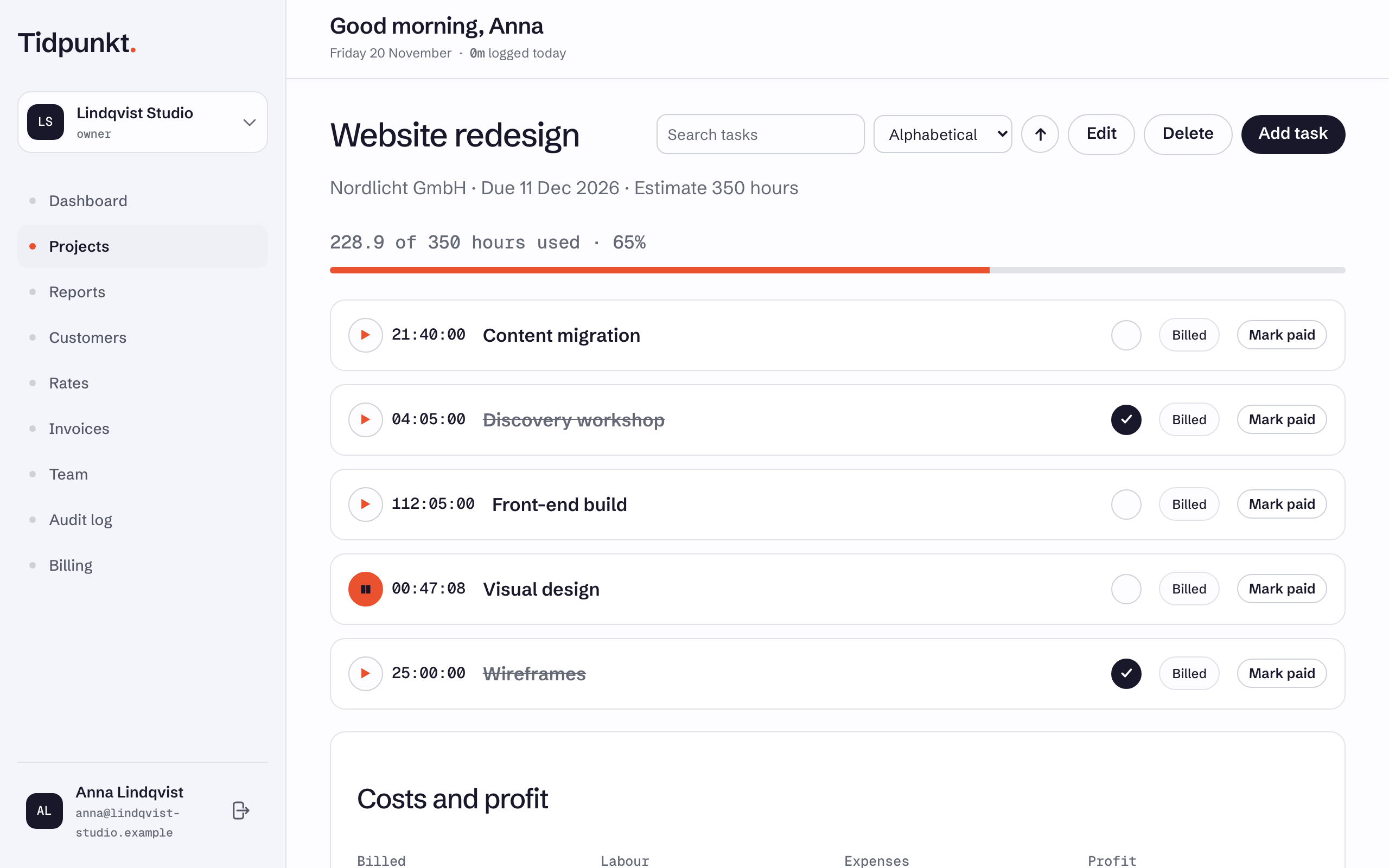
The project page shows hours used, the total and a percentage, above a progress bar. Used hours are the tracked time of all the project's tasks, by every member, billable or not. They are actual tracked time, without time rounding. A running timer counts once it stops.
Alerts
Tidpunkt checks projects every hour. When a project crosses 80% or 100% of its estimate, every owner and admin of the workspace gets an email with the hours used, the budget and a link to the project.
- Each threshold sends one email.
- If a project passes both between two checks, only the 100% email is sent.
- If usage drops back below a threshold, because you raised the estimate or deleted time, that alert can fire again.
- A project marked billed gets no alerts.
Members do not receive budget alerts. For every email Tidpunkt sends, see Email notifications and reminders.
Task estimates
A task has its own Estimate (hours), which is available on every plan. It does not feed the project's budget and sends no alerts. See Tasks and subtasks.